Translations:Getting Started/53/pt-br: Difference between revisions
From VRChat Wiki
No edit summary |
Marked translation unit as no longer outdated with no changes |
(No difference)
| |
Latest revision as of 02:56, 31 August 2026
Alterar o Idioma da Interface
Se o VRChat estiver configurado em um idioma que você não entende, você pode usar o seguinte processo para alterá-lo:
- Os ícones podem ser usados para identificar qual botão clicar.
-
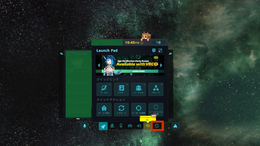 1. Abra o Menu Rápido e dê um Clique Duplo no ícone de Engrenagem.
 -
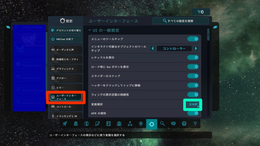 2. Selecione a categoria entre os símbolos de espelho e controle de videogame para navegar até a categoria de Interface do Usuário e clique no botão destacado pelo Círculo Verde.
 -
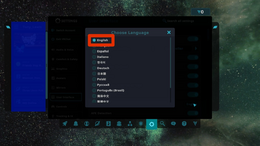 3. Selecione Inglês ou o seu idioma preferido.


Além disso, você pode alterar seu idioma nas configurações de idioma na tela de login.


