Avatar Marketplace: Difference between revisions
TrixxedHeart (talk | contribs) m fixed link |
Marked this version for translation |
||
| (10 intermediate revisions by 3 users not shown) | |||
| Line 1: | Line 1: | ||
<languages/> | |||
{{Noticebox/Official}} | {{Noticebox/Official}} | ||
{{ | {{Thumb|{{YouTube|MWH1RA3bEz0|title= | ||
{{ | Introducing the Avatar Marketplace | VRChat Developer Update | ||
|thumb=File:YTThumb_MWH1RA3bEz0_AVM.webp}}}} | |||
'''Avatar Marketplace''' (AVM) is a feature of VRChat’s [[Creator Economy]], providing a platform for creators to sell monetized [[avatars]] directly within VRChat using [[Creator Economy#VRChat_Credits|VRC Credits]]. | <translate> | ||
<!--T:1--> | |||
'''Avatar Marketplace''' (AVM) is a feature of VRChat’s [[Special:MyLanguage/Creator Economy|Creator Economy]], providing a platform for creators to sell monetized [[Special:MyLanguage/avatars|avatars]] directly within VRChat using [[Special:MyLanguage/Creator Economy#VRChat_Credits|VRC Credits]]. | |||
==Overview== | <!--T:2--> | ||
The Avatar Marketplace allows for users to buy and use avatars from creators natively within VRChat, streamlining the process compared to third-party platforms. Purchased avatars can be immediately used without uploading them via Unity or the [[VRChat SDK]]. | == Overview == | ||
The Avatar Marketplace allows for users to buy and use avatars from creators natively within VRChat, streamlining the process compared to third-party platforms. Purchased avatars can be immediately used without uploading them via Unity or the [[Special:MyLanguage/VRChat SDK|VRChat SDK]]. | |||
Selecting the '''Avatars''' Quick Link in the [[Quick Menu]] opens the Avatar tab in the [[Main Menu]], defaulting to the '''Explore''' section. This section features both free [[Public Avatars|public avatars]] and paid avatars available via the Marketplace. | <!--T:3--> | ||
Selecting the '''Avatars''' Quick Link in the [[Special:MyLanguage/Quick Menu|Quick Menu]] opens the Avatar tab in the [[Special:MyLanguage/Main Menu|Main Menu]], defaulting to the '''Explore''' section. This section features both free [[Special:MyLanguage/Public Avatars|public avatars]] and paid avatars available via the Marketplace. | |||
</translate> | |||
<!--It will need to be noted that the '''Marketplace''' tab in the Main Menu will likely do the same thing; this still needs to be implemented, and will likely be available before AVM goes live. Remove this comment when the Marketplace tab gets mentioned. ~DAG-XR (05.25.2025)--> | <!--It will need to be noted that the '''Marketplace''' tab in the Main Menu will likely do the same thing; this still needs to be implemented, and will likely be available before AVM goes live. Remove this comment when the Marketplace tab gets mentioned. ~DAG-XR (05.25.2025)--> | ||
==Product listings== | <translate> | ||
[[File:AVM-ProductListingExample.webp|thumb|An example of | == Product listings == <!--T:4--> | ||
Each avatar listing includes images, a preview of the base model and [[Impostors|impostor]] (if available), a description, price, file size, upload date, performance ranking, and relevant tags. Listings also show avatar features such as platform compatibility, visemes, eye look support, Impostors, and performance breakdowns. Avatars can also be previewed locally before purchase, only the user will see the avatar during this preview. | </translate> | ||
==Purchasing avatars== | [[File:AVM-ProductListingExample.webp|thumb|<translate><!--T:5--> An example of a marketplace listing.</translate>]] | ||
Purchasing an avatar with the Avatar Marketplace requires sufficient VRChat Credits on your [[VRChat account|account's]] wallet before an avatar is bought. Users on Steam, and Meta systems are currently able to purchase credits<ref>[https://help.vrchat.com/hc/en-us/articles/23255458227987-Creator-Economy-Frequently-Asked-Questions 'Creator Economy: Frequently Asked Questions'] on ''help.vrchat.com''; retrieved May 25, 2025.</ref> at a minimum quantity of 600, up to a maximum of 12,000 per purchase. | <translate> | ||
<!--T:6--> | |||
Each avatar listing includes images, a preview of the base model and [[Special:MyLanguage/Impostors|impostor]] (if available), a description, price, file size, upload date, performance ranking, and relevant tags. Listings also show avatar features such as platform compatibility, visemes, eye look support, Impostors, and performance breakdowns. Avatars can also be previewed locally before purchase, only the user will see the avatar during this preview. | |||
== Purchasing avatars == | |||
Purchasing an avatar with the Avatar Marketplace requires sufficient VRChat Credits on your [[Special:MyLanguage/VRChat account|account's]] wallet before an avatar is bought. Users on Steam, and Meta systems are currently able to purchase credits<ref>[https://help.vrchat.com/hc/en-us/articles/23255458227987-Creator-Economy-Frequently-Asked-Questions 'Creator Economy: Frequently Asked Questions'] on ''help.vrchat.com''; retrieved May 25, 2025.</ref> at a minimum quantity of 600, up to a maximum of {{formatnum:12,000}} per purchase. | |||
<!--T:7--> | |||
When a user has sufficient credits, they can purchase an avatar, which becomes bound to their VRChat account. Users are not yet able to purchase avatars for other users, or have the ability to download or modify their purchased avatar(s) using the VRChat SDK. | When a user has sufficient credits, they can purchase an avatar, which becomes bound to their VRChat account. Users are not yet able to purchase avatars for other users, or have the ability to download or modify their purchased avatar(s) using the VRChat SDK. | ||
==Selling on the Avatar Marketplace== | == Selling on the Avatar Marketplace == <!--T:8--> | ||
<small>''See also: [[Creator_Economy#Enrolling_in_the_Creator_Economy_Program]] for more detailed information.''</small> | </translate> | ||
[[File:Vrcshop_anime.webp|thumb|<translate><!--T:9--> Various avatars can be browsed in the [[Special:MyLanguage/Shop|Shop]]</translate>]] | |||
<translate> | |||
<!--T:10--> | |||
<small>''See also: [[Special:MyLanguage/Creator_Economy#Enrolling_in_the_Creator_Economy_Program|Enrolling in the Creator Economy]] for more detailed information.''</small> | |||
<!--T:11--> | |||
Creators interested in selling avatars on the Avatar Marketplace, are required to review the Creator Economy Program terms and conditions<ref>[https://hello.vrchat.com/legal/economy 'Creator Economy Program Rules'] on ''hello.vrchat.com''; retrieved May 25, 2025.</ref>, and must [https://www.surveymonkey.com/r/vrc-econ-apply submit an enrollment application] to be reviewed by VRChat, and approved. | Creators interested in selling avatars on the Avatar Marketplace, are required to review the Creator Economy Program terms and conditions<ref>[https://hello.vrchat.com/legal/economy 'Creator Economy Program Rules'] on ''hello.vrchat.com''; retrieved May 25, 2025.</ref>, and must [https://www.surveymonkey.com/r/vrc-econ-apply submit an enrollment application] to be reviewed by VRChat, and approved. | ||
==Resources== | </translate> | ||
*{{VRC link|https://creators.vrchat.com/economy/ |"Resources for Creator Economy"}} at ''creators.vrchat.com'' | [[File:Vrcshop_animefilters.webp||thumb|200x200px|<translate><!--T:12--> Similarly, various tags can be found through filtering within the Shop.</translate>]] | ||
*{{VRC link|https://hello.vrchat.com/creator-guidelines |"Creator Guidelines"}} at ''hello.vrchat.com'' | <translate> | ||
*[https://help.vrchat.com/hc/en-us/ | <!--T:13--> | ||
*[https://ask.vrchat.com/t/avatar-marketplace-faq-for-sellers "Avatar Marketplace FAQ for Sellers"] at ''ask.vrchat.com'' | It should be noted that the Creator Economy program for worlds and groups is separate from the Avatar Marketplace program and must be applied for separately, even if the creator is already in Creator Economy for worlds and groups. | ||
*[https:// | == Resources == | ||
*[https://www.tilia | * {{VRC link|https://creators.vrchat.com/economy/ |"Resources for Creator Economy"}} at ''creators.vrchat.com'' | ||
* {{VRC link|https://hello.vrchat.com/creator-guidelines |"Creator Guidelines"}} at ''hello.vrchat.com'' | |||
* [https://www.youtube.com/watch?v=MWH1RA3bEz0 Introducing the Avatar Marketplace] posted by VRChat, on ''YouTube'' | |||
* [https://help.vrchat.com/hc/en-us/articles/41810354825235-Avatar-Marketplace-FAQ "Avatar Marketplace FAQ"] at ''help.vrchat.com'' | |||
* [https://ask.vrchat.com/t/avatar-marketplace-faq-for-sellers "Avatar Marketplace FAQ for Sellers"] at ''ask.vrchat.com'' | |||
* [https://help.vrchat.com/hc/en-us/requests/new?ticket_form_id=41321603799059 "Avatar Marketplace Help"] at ''help.vrchat.com'' | |||
* [https://www.thunes.com/tilia/ Thunes' website] at ''thunes.com'' | |||
==See also== | <!--T:14--> | ||
*[[Avatars]] | == See also == | ||
*[[Creator Economy]] | * [[Special:MyLanguage/Avatars|Avatars]] | ||
* [[Special:MyLanguage/Creator Economy|Creator Economy]] | |||
==References== | == References == <!--T:15--> | ||
</translate> | |||
[[Category:Features]] | [[Category:Features{{#translation:}}]] | ||
<references /> | <references />{{Economy-navbox}} | ||
Latest revision as of 23:10, 19 July 2026

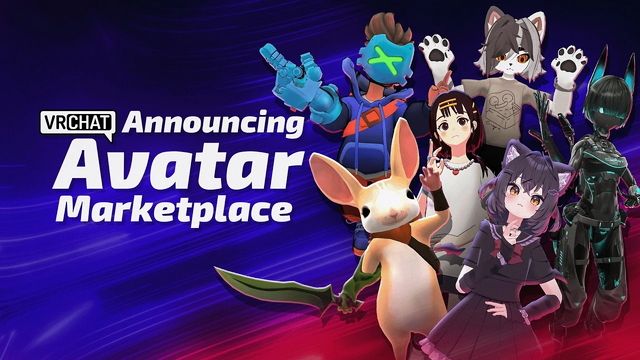
Avatar Marketplace (AVM) is a feature of VRChat’s Creator Economy, providing a platform for creators to sell monetized avatars directly within VRChat using VRC Credits.
Overview
The Avatar Marketplace allows for users to buy and use avatars from creators natively within VRChat, streamlining the process compared to third-party platforms. Purchased avatars can be immediately used without uploading them via Unity or the VRChat SDK.
Selecting the Avatars Quick Link in the Quick Menu opens the Avatar tab in the Main Menu, defaulting to the Explore section. This section features both free public avatars and paid avatars available via the Marketplace.
Product listings

Each avatar listing includes images, a preview of the base model and impostor (if available), a description, price, file size, upload date, performance ranking, and relevant tags. Listings also show avatar features such as platform compatibility, visemes, eye look support, Impostors, and performance breakdowns. Avatars can also be previewed locally before purchase, only the user will see the avatar during this preview.
Purchasing avatars
Purchasing an avatar with the Avatar Marketplace requires sufficient VRChat Credits on your account's wallet before an avatar is bought. Users on Steam, and Meta systems are currently able to purchase credits[1] at a minimum quantity of 600, up to a maximum of 12,000 per purchase.
When a user has sufficient credits, they can purchase an avatar, which becomes bound to their VRChat account. Users are not yet able to purchase avatars for other users, or have the ability to download or modify their purchased avatar(s) using the VRChat SDK.
Selling on the Avatar Marketplace

See also: Enrolling in the Creator Economy for more detailed information.
Creators interested in selling avatars on the Avatar Marketplace, are required to review the Creator Economy Program terms and conditions[2], and must submit an enrollment application to be reviewed by VRChat, and approved.

It should be noted that the Creator Economy program for worlds and groups is separate from the Avatar Marketplace program and must be applied for separately, even if the creator is already in Creator Economy for worlds and groups.
Resources
- "Resources for Creator Economy" at creators.vrchat.com
- "Creator Guidelines" at hello.vrchat.com
- Introducing the Avatar Marketplace posted by VRChat, on YouTube
- "Avatar Marketplace FAQ" at help.vrchat.com
- "Avatar Marketplace FAQ for Sellers" at ask.vrchat.com
- "Avatar Marketplace Help" at help.vrchat.com
- Thunes' website at thunes.com
See also
References
- ↑ 'Creator Economy: Frequently Asked Questions' on help.vrchat.com; retrieved May 25, 2025.
- ↑ 'Creator Economy Program Rules' on hello.vrchat.com; retrieved May 25, 2025.


