VRC+/fr: Difference between revisions
Translate to French |
Translate to French |
||
| Line 284: | Line 284: | ||
</div> | </div> | ||
====Renouvellement et interruption de l’abonnement==== | |||
==== | Lorsqu’un abonnement VRC+ expire : | ||
* Votre icône utilisateur sera supprimée, mais les icônes téléchargées seront conservées. | |||
* | * Vous perdrez l’accès aux lignes d’avatars favoris VRC+, mais conserverez l’accès aux 25 premiers avatars. Les données des lignes supplémentaires sont conservées pour un accès futur. | ||
* | * Les statuts ou badges de Soutien Précoce ainsi que la Confiance obtenue via le boost de Confiance VRC+ sont conservés. | ||
* | * Les autres fonctionnalités VRC+ seront désactivées, mais leurs données seront sauvegardées pour un accès ultérieur si l’abonnement est réactivé. | ||
* | |||
====Annulation de l’abonnement VRC+==== | ====Annulation de l’abonnement VRC+==== | ||
Revision as of 18:27, 7 August 2025


VRC+ is a subscription service that provides users with additional features and benefits to enhance their VRChat experience. Purchasing VRC+ directly supports VRChat's development. VRC+ was officially released on December 3rd, 2020.
Features
VRC+ offers various features that enhance the user experience:
Increased avatar slots
Supporters unlock more avatar slots and avatar lists.
| Free | VRC+ | |
|---|---|---|
| Avatar slots | 50 | 300 |
| Avatar lists | 1 | 6 |
Inventory
See also Inventory for more detailed information.
Supporters unlock the ability to use and upload certain custom content types, which can be managed in the inventory. The content types include: User Icons, Photos, Custom Emoji, Custom Stickers and Prints. Users can create them by using the in-client Camera, or through the VRChat website.
| Free | VRC+ | |
|---|---|---|
| User Icons | 0 | 64 |
| Photos | 0 | 64 |
| Custom Emoji | 0 | 18 |
| Custom Stickers | 0 | 18 |
| Prints | 20 (collect only) | 64 |
User icons

User Icons are circular images that can be equipped for both profiles and groups. When equipped to your profile, the icon is displayed on your nameplate, in the Here tab, at the top of the Quick Menu, and on your profile, replacing the free icon of the first 3 characters of your username.
Photos
Photos are rectangular images that can be equipped for profiles and groups and attached to notifications sent to other users. When added to your profile, the photo is displayed alongside your username in Friend Locations and on your profile, replacing the thumbnail of the avatar you currently have equipped. The photo acts as the group's banner when added to a group. Photos can be attached to invites, invite requests, and replies. VRC+ users can take and attach invite message photos using the camera without saving them to the Gallery.
Prints
Prints are photos users can take within VRChat and spawn as an object in-world for other users to share and save. Prints carry metadata of: who took the photo, where, and when a photo was taken. They can also have custom messages written on them. Prints have the same appearance as real-world instant films. All prints will always upload in 1080p resolution.
Les utilisateurs peuvent "collectionner" des impressions en les enregistrant dans leur inventaire.
Custom emoji
Up to nine custom emoji can be uploaded and used in the Inventory, providing unique expressions and reactions. Animated emoji are also supported.
Custom stickers

Custom stickers can be uploaded similarly to how custom emojis are. Stickers are placeable images that any user can see, only one can be placed at a time. When a user leaves an instance, their stickers will disappear. Users can hide a sticker by selecting it, blocking a user will also hide their stickers.
Sharing

Sharing enables a VRC+ user to share custom emojis, custom stickers, photos, prints, and UI themes with other users. This allows a user to place a Sharing Pedestal in a world that other users can interact with. When a user leaves an instance, their pedestal will disappear. Sharing pedestals can be hidden by selecting it, blocking a user will also hide their pedestal.
Groups
Supporters unlock the ability to create and join more groups. A VRC+ subscription is not required to retain ownership of a group once it has been created.
| Free | VRC+ | |
|---|---|---|
| Joined groups | 100 | 200 |
| Group creation | 0 | 5 |
UI decorations
Supporters can customize UI elements to their liking, including the UI theme colors and selecting background designs for the Quick Menu and Main Menu.
| Free | VRC+ | |
|---|---|---|
| Backgrounds designs | 4 | 37 |
| UI themes | 0 | 20 |
These are the background designs VRC+ offers:
-
 Filigree
 -
 Bit Mountain
 -
 Approach
 -
 Planet Fall
 -
 Jungle
 -
 Light Streams
 -
 Koi
Koi -
 Moonlight
 -
 Machine
 -
 Topology
 -
 Circuit
 -
 Kawaii Cupcakes
 -
 Bokeh
Bokeh -
 Hologram
 -
 Flow
Flow -
 Jelly
Jelly -
 Cheese
 -
 Alchemy
 -
 Sunset Mountain
 -
 Magic Rocks
 -
 City Stillness
 -
 Music
Music -
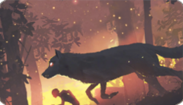 Wolf Running
 -
 Dragon Smoke
 -
 Night Rain
 -
 Butterfly ZERO
 -
 I am Speed
 -
 Ronin
Ronin -
 Abduction
 -
 Cat Dream
 -
 Virtual Waves
 -
 Bolt and Snail
 -
 Escape


Supporters get 5 default UI themes to choose from:
- Default
- Carbon
- Nebula
- Embers
- Grass
Trust boost
Supporters receive an increase in their Trust Rank. This boost can elevate a user's trust rank to the next level. The minimum Trust Rank received is User, which is particularly beneficial for newcomers who want to start content creation immediately. If already a User or Known rank, the trust boost is unlikely to have an immediate effect. For those with a Trusted rank, the boost will have no effect.
Age Verification
Age Verification is a feature accessible to VRC+ subscribers with a VRChat account, allowing users to verify their age. This grants a special marker that can be displayed on their profile and nameplate, as well as access or host to age restricted Group instances for users 18 and over.
Camera
An active VRC+ subscription adds two major features related to the camera.
Camera Dolly
Camera Dolly is an VRC+ exclusive camera system aimed towards power users. This feature allows users to create and play animations for the VRChat camera.
Camera Drone
Camera Drone is an VRC+ exclusive camera feature. This feature allows users to spawn and fly around a fully-functional drone.
Other features

Additional features include:
- Selfie Expression on PC - VRC+ subscribers with a camera, can enable Selfie Expression on the desktop client of VRChat, allowing you to track your facial movements, arms, hands, and fingers in a limited capacity.
- VRC+ Supporter Badge - Being an active supporter of VRC+ will grant a user a "Supporter" badge, as long as their subscription is active. This special badge can be found on your user profile on the platform, and on the VRChat website.
- VRC+ Tenure Badge - Being an active supporter of VRC+ will grant a user a "VRC+ Subscriber" badge, as long as their subscription is active, this badge shows the user's cumulative duration of them being subscribed to VRC+.
- VRCat on Quick Menu - Clickable VRCat on top of Quick Menu that makes sounds and displays different prompts.
Features that were available to supporters, but are no longer available to new supporters:
- Early Supporter Badge
- VRChat for Android Mobile Early Access
- Stickers
Purchasing
VRC+ can only be purchased in-client through the VRC+ tab at the bottom right of the Quick Menu, and Main Menu.
Tiers and pricing
VRC+ comes in two tiers: VRC+ Monthly, and VRC+ Yearly.
| Tier | Price in USD |
|---|---|
| Monthly | $9.99/month |
| Yearly | $99.99/yearly |
*Pricing in Europe may include Value-Added Tax (VAT)[1]
Technical information
VRC+ is available on Steam, the Meta Quest Store and Android.
Using VRC+ on different platforms
Your VRC+ benefits are linked to your VRChat account and any platform-specific account it’s merged with. You can purchase VRC+ on Steam even if you primarily use another platform, like Oculus PC, by merging your Oculus PC account into your VRChat account.
Custom user icons
Active supporters can upload images to their account on the VRChat website and select one as an icon next to their nameplate. This can be accessed by clicking the Icons button on the sidebar in the VRChat Home interface. You can also upload pictures taken in VRChat via the User Icon interface.
Subscription issues
For issues with VRC+ features, contact VRChat Support. Subscription payments are processed through platform partners (Steam or Oculus), so contact their support services for payment issues. Refunds for subscriptions are not permitted by the platforms, and VRChat does not offer refunds after purchase.
Renouvellement et interruption de l’abonnement
Lorsqu’un abonnement VRC+ expire :
- Votre icône utilisateur sera supprimée, mais les icônes téléchargées seront conservées.
- Vous perdrez l’accès aux lignes d’avatars favoris VRC+, mais conserverez l’accès aux 25 premiers avatars. Les données des lignes supplémentaires sont conservées pour un accès futur.
- Les statuts ou badges de Soutien Précoce ainsi que la Confiance obtenue via le boost de Confiance VRC+ sont conservés.
- Les autres fonctionnalités VRC+ seront désactivées, mais leurs données seront sauvegardées pour un accès ultérieur si l’abonnement est réactivé.
Annulation de l’abonnement VRC+
Steam : 1. Rendez-vous sur la page Détails du compte Steam. 2. Cliquez sur « Gérer les abonnements ». 3. Annulez ou renouvelez les abonnements selon vos besoins.
Pour plus de détails, consultez l’article d’assistance Steam sur les abonnements récurrents.
Boutique Meta Quest : 1. Sur votre casque Meta Quest, sélectionnez « Votre compte » dans la barre latérale gauche de la boutique. 2. Sélectionnez « Abonnements », puis « VRChat », et enfin « Annuler l’abonnement ».
Offrir un VRC+
Vous pouvez également offrir un abonnement VRC+ à d'autres utilisateurs. Si vous envoyez un cadeau à un utilisateur qui possède déjà VRC+, cela prolongera la durée de son abonnement actif.
Pour offrir un abonnement VRC+ à un utilisateur, vous pouvez cliquer sur lui s'il se trouve dans la même instance que vous, puis cliquer sur Offrir VRChat+. Vous pouvez également rechercher un utilisateur dans l'onglet Recherche ou Social, puis cliquer sur Offrir VRChat+ sur son profil.
Distribution de cadeaux (Gifts Drop)
Vous pouvez offrir visuellement plusieurs abonnements VRC+ à des utilisateurs dans une instance simultanément, en utilisant une distribution de cadeaux. Si le nombre d'abonnements VRC+ dans la distribution est supérieur au nombre d'utilisateurs dans l'instance, certains utilisateurs peuvent recevoir plus d'un mois d'abonnement VRC+.
Lors de la distribution de cadeaux, vous pouvez choisir soit de les répartir équitablement entre les utilisateurs présents dans l’instance, soit de privilégier les utilisateurs les plus proches. L’utilisateur qui distribue le cadeau est ensuite invité à sélectionner un emplacement dans l’instance où le cadeau sera déposé.
Les cadeaux peuvent bénéficier d’une remise allant jusqu’à 50 %.
Quantité et tarification pour les cadeaux
Les utilisateurs peuvent acheter un lot d’abonnements VRC+ à distribuer. Chaque lot contient une quantité équivalente à un mois d’abonnement VRC+. Par exemple, l’achat du lot de '10' distribuera un total de dix abonnements d’un mois aux utilisateurs présents dans l’instance.
L'achat d'un lot de 5 permet d’économiser 5 % par rapport au prix standard ; un lot de 10 permet d’économiser 10 %, un lot de 20 permet d’économiser 25 %, un lot de 50 permet d’économiser 35 %, et un lot de 100 abonnements permet d’économiser 50 %.
| Qté | Prix en USD |
|---|---|
| 1 | $9.99 |
| 2 | $19.99 |
| 3 | $29.99 |
| 5 | $47.99 |
| 10 | $89.99 |
| 20 | $149.99 |
| 50 | $324.99 |
| 100 | $499.99 |
*Les prix en Europe peuvent inclure la taxe sur la valeur ajoutée (TVA).
Anecdotes
- VRChat a changé le nom de VRC+ à deux reprises. Les anciens noms étaient VRChat Plus et VRChat+.


