Guides:How to write efficient bug reports: Difference between revisions
Created page; initial commit. |
m Corrected syntax on Proofread noticebox. |
||
| Line 1: | Line 1: | ||
{{Noticebox/Community}}{{ | {{Noticebox/Community}}{{Proofread|Please proofread, and correct any errors on this page, utilizing the [[VRCWiki:Manual of Style|VRChat Wiki Manual of Style]].}} | ||
Writing and submitting bug reports to VRChat's Feedback Board effectively, will both help the development team narrow down the problem, and prevent the problem from happening again in the future. | Writing and submitting bug reports to VRChat's Feedback Board effectively, will both help the development team narrow down the problem, and prevent the problem from happening again in the future. | ||
Revision as of 11:13, 7 February 2026


[Reason: Please proofread, and correct any errors on this page, utilizing the VRChat Wiki Manual of Style.]
Writing and submitting bug reports to VRChat's Feedback Board effectively, will both help the development team narrow down the problem, and prevent the problem from happening again in the future.
Overview
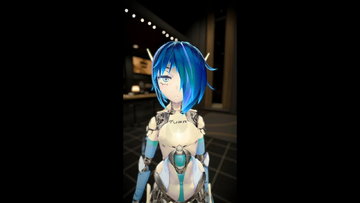
You cannot report bugs directly within VRChat, but you can submit bug reports pseudonymously on feedback.vrchat.com if you have a VRChat account. The platform uses a ticketing system powered by Canny.io, while VRChat employs a separate internal system to manage and track tickets.
Glossary
These are terms that will help you understand this article better.
- Bug: A software defect or error, that can inconvenience the user. Also can be known as a "glitch".
- Build: The 'version' that VRChat's software is running. Identifying a build number is crucial to identifying "when" the bug took place, within VRChat's constant line-up of updates. Please write the build number in your bug report. Open Beta uses a different build number than the 'Live' client build.
- Canny: The service that VRChat utilizes to manage their feedback. "Post it on Canny" refers to feedback.vrchat.com.
- Debug menus: There are various menus for debugging for advanced users, including the Debug UI which can be opened within the Settings tab of the Quick Menu.
- Hitching: An abrupt 'lag spike', or freezing momentarily when triggered by VRChat trying to process an action. Such as "VRChat hitches and lags when I open the menu, or change into another avatar".
- Log files: A text document that is generated locally on your device, as VRChat is being used. This provides useful information to the development team, as to which code might be triggering the bug.
- Reproduction: Also known as 'repro'. Is the ability to trigger the bug on demand, by performing an action, or a series of actions. Example: "Opening the menu triggers and reproduces the bug."
Current builds
| Software | Version |
|---|---|
| VRChat | 2026.3.2p1 |
| Client build | 1902 |
| Worlds SDK | 3.10.4 |
| Avatars SDK | 3.10.5 |
| Creator Companion | 2.4.5 |
| Unity | 2022.3.22f1 |
What you need for a bug report

Logging in
To begin reporting a bug, please go to feedback.vrchat.com, and proceed to Log In with your VRChat account. If you do not yet have a VRChat account, please proceed to create one on the VRChat website, and optionally, link the accounts together.
Choose a topic that pertains to your bug report. Please also browse through the rest of the topic names, in case if the bug report can be submitted in a more specific thread.
- Bug Reports: For general bug reports on primary VRChat client builds.
- Open Beta: For any bug reports that have occurred on an Open Beta build of VRChat.
- Website: For issues regarding any of VRChat's websites.
- SDK Bug & Feature Requests: For problems with the VRChat SDK.
- Creator Companion: For bug reports with the VRChat Creator Companion.
Once a topic is selected, you can search various community threads to see if another user has already posted a bug report regarding the issue. If so, it is encouraged to upvote the post, and leave a comment if any specifications are not listed. If there is not a post that is yet submitted on the issue, please begin writing a bug report.

Logs and attachments
It is advisable to attach screenshots, or a video file (up to 8MB) of the issue to your bug report. Any screenshots showcasing the bug, or screenshots of the debug menus will be relevant towards pinpointing the bug. Attaching log files are not always required, but is considered a helpful supplement to include within the bug report.

To acquire a log file, navigate to the Settings tab within the Quick Menu, and scroll to the "Debug" dropdown. Click "Report Bug", which will mark a flagged timestamp within the output log. On PC, your file explorer will open to the folder where the output log is stored. By default, VRChat's output logs on a PC are located under %USERNAME%\AppData\LocalLow\VRChat\vrchat and named output_log_(date). Check the latest dated file, and attach it to your bug report.
Include a detailed description
A detailed bug report should include a brief description of the bug within the title of the bug report, and the build number. Within the summary, please describe the device VRChat is running on, as well as steps on how to reproduce the bug. Describe the intended result, but what had occurred instead.

Template for reports[2]
1. Summary
> Explain in 2-3 Sentence what this report is about. Include the build number.
VRChat crashed when trying to join a friend on build 1XXX.

2. Steps to reproduce the bug:
> Write down what you did step by step so someone else can see the problem. For example:
  1. Open Main Menu
  2. Visit any Profile
  3. Double Click "Join" Button

3. What did you expect to happen?
> Explain what you thought would happen. For example:
To join my friends.

4. What actually happened?
> Explain what went wrong. For example:
VRChat crashed.

X. Additional details (if any):
> Add any other information. For example:
* Logs (`%appdata%\..\LocalLow\VRChat\VRChat\`, need to be uploaded external)
* Video (can be uploaded external, such as upload on YouTube)
* Screenshots (up to 8MB, or need to be uploaded external)
* Links
- ↑ Tupper…? on YouTube.
- ↑ What a Bug Report needs - Q&A Team StormRel
See also
Community resources
- How to Write a Bug Report: Bug Reporting in Software Testing, by Vijay on www.softwaretestinghelp.com


