Stickers

Stickers are VRC+ exclusive feature that allows users to place images on surfaces within worlds. Stickers come with one default set, and occasionally limited time sticker sets release, replacing the default set. Users can also create and place custom stickers.
Default Stickers
The default set of stickers is themed around the VRChat mascots, VRCat & VRRat. There are 9 stickers in this set.
-
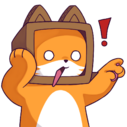 Shock Point
 -
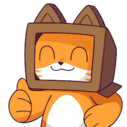 Vault Cat
 -
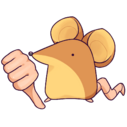 Thumbs Down
 -
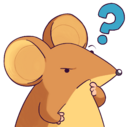 Think Rat
 -
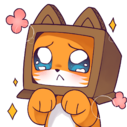 Pleading
 -
 Mad Science Rat
 -
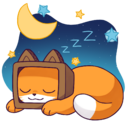 Slepy
Slepy -
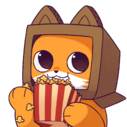 Popcorn
 -
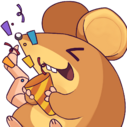 Party Rat


Custom Stickers
Apart of VRC+, users can create custom stickers. There is a limit of 9 custom stickers users can create, and can either be uploaded from the VRChat website or created within the client.
Limited-time Stickers
Limited-time stickers usually release alongside holidays or events. Whenever a limited-time sticker set releases, it will replace the default set.
Spookality
The Spookality sticker set is themed around the Halloween holiday, featuring the VRChat mascots. This sticker set ran from: dates unknown
-
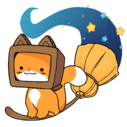 Witch Kitty
 -
 Doot
Doot -
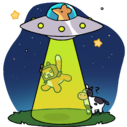 Abduction
 -
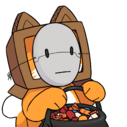 Trick Or Treat
 -
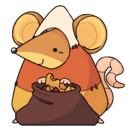 Trick Or Treat Rat
 -
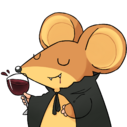 Rat Wine
 -
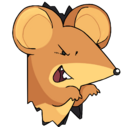 The Scare 1
 -
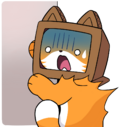 The Scare 2
 -
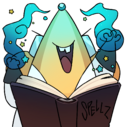 Spellz


Winter
The Winter sticker set is themed around Winter, featuring the VRChat mascots. This sticker set ran from: dates unknown
-
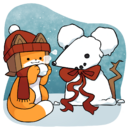 Snow Rat
 -
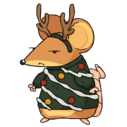 Ugly Sweater
 -
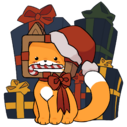 Gift Kitty
 -
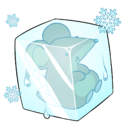 Rat Cube
 -
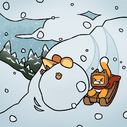 Sledding
 -
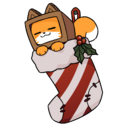 Stocking Kitty
 -
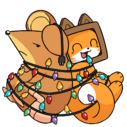 Stuck Together
 -
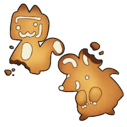 Cookies
 -
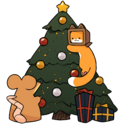 Tree
Tree


Lunar New Year
The Lunar New Year sticker set is themed around the Lunar New Year, featuring the VRChat mascots. This sticker set ran from: dates unknown
-
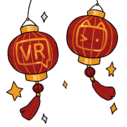 Lanterns
 -
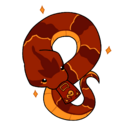 Envelope Snake
 -
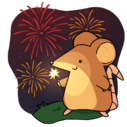 Fireworks
 -
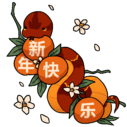 Xin Nian Kuai Le
 -
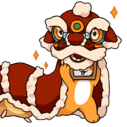 Lion Dance
 -
 Fai Chun
 -
 Duilian 1
 -
 Duilian 2
 -
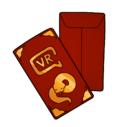 Red Envelope


Valentines
The Lunar New Year sticker set is themed around Valentine's Day, featuring the VRChat mascots. This sticker set released on February 6th, 2025[1]. and is currently the default set.
-
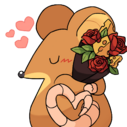 Bouquet
 -
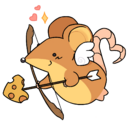 Cupid Rat
 -
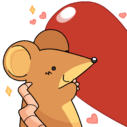 Heart Rat
 -
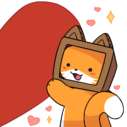 Heart Cat
 -
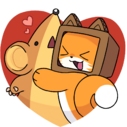 Hugs
Hugs -
 Candy Hearts
 -
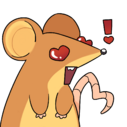 Heart Eyes
 -
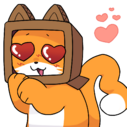 Heart Eyes Cat
 -
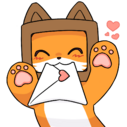 Paws
Paws


Accessing Stickers
There are multiple ways to access stickers depending on the use case.
Placing Stickers
Users can place stickers either by:
- Opening the Action Menu, then navigating through
Emojis & Stickers>Stickers>"Default Stickers"or"Custom Stickers", then select a sticker. - Using the wings on either the Main Menu or Quick Menu, select
Stickers, then select a sticker.
Managing Stickers
Users can manage stickers either by:
- Opening the Quick Menu, select the VRC+ tab, and then select the
Stickersbutton. - Opening the Main Menu, select the
Profilebutton, then select theMediatab, lastly select theStickersbutton.
References
- ↑ VRChat. "Love is in the air! Check out our Valentine’s Day default Stickers..." X, 6 Feb. 2025, https://x.com/VRChat/status/1887614648507068667.


