VRC+


VRC+ é um serviço de assinatura que oferece aos usuários recursos e benefícios adicionais para aprimorar sua experiência com o VRChat. A compra do VRC+ apoia diretamente o desenvolvimento do VRChat. O VRC+ foi lançado oficialmente em 3 de Dezembro de 2020.
Recursos
O VRC+ oferece vários recursos que aprimoram a experência do usuário:
Aumento dos espaços para avatar
Os apoiadores desbloqueiam mais espaços para avatares e listas de avatares.
| Grátis | VRC+ | |
|---|---|---|
| Espaços de avatar | 50 | 300 |
| Listas de avatar | 1 | 6 |
Inventário
Veja também Inventário para obter informações mais detalhadas.
Os Apoiadores desbloqueiam a capacidade de usar e carregar determinados tipos de conteúdo personalizado, que podem ser gerenciados no inventário. Os tipos de conteúdo incluem: Ícones de Usuário, Fotos, Emoji Personalizado, Adesivos Personalizados e Impressões. Os usuários podem criá-los usando a Câmera no cliente ou por meio do site do VRChat.
| Grátis | VRC+ | |
|---|---|---|
| Ícones de Usuário | 0 | 64 |
| Fotos | 0 | 64 |
| Emoji Personalizado | 0 | 18 |
| Adesivos Personalizados | 0 | 18 |
| Impressões | 20 (collect only) | 64 |
Ícones de Usuário

Os Ícones de Usuário são imagens circulares que podem ser equipadas tanto para perfis quanto para grupos. Quando equipado em seu perfil, o ícone é exibido em sua placa de identificação, na guia Aqui, na parte superior do Menu Rápido e em seu perfil, substituindo o ícone gratuito dos três primeiros caracteres de seu nome de usuário.
Fotos
Fotos são imagens retangulares que podem ser equipadas para perfis e grupos e anexadas a notificações enviadas a outros usuários. Quando adicionada ao seu perfil, a foto é exibida ao lado do seu nome de usuário em Localização de Amigos e no seu perfil, substituindo a maniatura do avatar que você tem equipado no momento. A foto funciona como o banner do grupo quando adicionada a um grupo. As fotos podem ser anexadas a convites, solicitações de convite e respostas. Os usuários do VRC+ podem tirar e anexar fotos de mensagens de convite usando a câmera sem salvá-las na Galeria.
Impressões
As Impressões são fotos que os usuários podem tirar no VRChat e gerar como um objeto no mundo para que outros usuários compartilhem e salvem. As Impressões contêm metadados de: quem tirou a foto, onde e quando a foto foi tirada. Elas também podem ter mensagens personalizadas escritas nelas. As Impressões têm a mesma aparência dos filmes instantâneos do mundo real. Todas as impressões sempre serão carregadas em resolusão de 1080p.
Os usuários pode "coletar" impressões salvando-as em seu Inventário.
Emoji Personalizado
Até nove emojis personalizados podem ser carregados e usados no Iventário, proporcionando expressões e reações exclusivas. Também há suporte para emojis animados.
Adesivos Personalizados

Os Adesivos Personalizados podem ser carregados da mesma forma que os emojis personalizados. Os Adesivos são imagens posicionáveis que qualquer usuário pode ver, mas somente um pode ser colocado por vez. Quando um usuário sai de um instância, seus adesivos desaparecem. Os usuários podem ocultar um adesivo selecionando-o; o bloqueio de um usuário também ocultará seus adesivos.
Compartilhamento

O Compartilhamento permite que um usuário do VRC+ compartilhe emojis personalizados, adesivos personalizados, fotos, impressões e temas de interface do usuário com outros usuários. Isso permite que um usuário coloque um Pedestal de Compatilhamento em um mundo com o qual outros usuários possam interagir. Quando um usuário sai de uma instância, seu pedestal desaparece. Os Pedestais de Compartilhamento podem ser ocultados selecionando-os, e o bloqueio de um usuário também ocultará seu pedestal.
Grupos
Os Apoiadores desbloqueiam a capacidade de criar e participar de mais grupos. Não é necessário ter uma assinatura do VRC+ para manter a propriedade de um grupo depois que ele foi criado.
| Grátis | VRC+ | |
|---|---|---|
| Grupos unidos | 100 | 200 |
| Criação de grupos | 0 | 5 |
Decorações da interface do usuário
Os Apoiadores podem personalizar os elementos da interface do usuário a seu gosto, incluindo as cores do tema da interface do usuário e a seleção de designs de plano de fundo para o Menu Rápido e o Menu Principal.
| Grátis | VRC+ | |
|---|---|---|
| Designs de plano de fundo | 4 | 37 |
| Temas de interface de usuário | 0 | 20 |
These are the background designs VRC+ offers:
-
 Filigree
 -
 Bit Mountain
 -
 Approach
 -
 Planet Fall
 -
 Jungle
 -
 Light Streams
 -
 Koi
Koi -
 Moonlight
 -
 Machine
 -
 Topology
 -
 Circuit
 -
 Kawaii Cupcakes
 -
 Bokeh
Bokeh -
 Hologram
 -
 Flow
Flow -
 Jelly
Jelly -
 Cheese
 -
 Alchemy
 -
 Sunset Mountain
 -
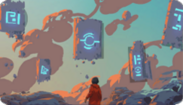 Magic Rocks
 -
 City Stillness
 -
 Music
Music -
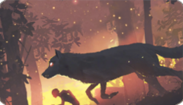 Wolf Running
 -
 Dragon Smoke
 -
 Night Rain
 -
 Butterfly ZERO
 -
 I am Speed
 -
 Ronin
Ronin -
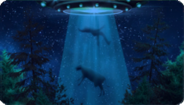 Abduction
 -
 Cat Dream
 -
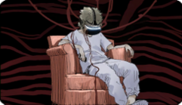 Virtual Waves
 -
 Bolt and Snail
 -
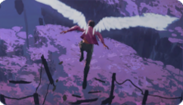 Escape


Supporters get 5 default UI themes to choose from:
- Default
- Carbon
- Nebula
- Embers
- Grass
Trust boost
Supporters receive an increase in their Trust Rank. This boost can elevate a user's trust rank to the next level. The minimum Trust Rank received is User, which is particularly beneficial for newcomers who want to start content creation immediately. If already a User or Known rank, the trust boost is unlikely to have an immediate effect. For those with a Trusted rank, the boost will have no effect.
Age Verification
Age Verification is a feature accessible to VRC+ subscribers with a VRChat account, allowing users to verify their age. This grants a special marker that can be displayed on their profile and nameplate, as well as access or host to age restricted Group instances for users 18 and over.
Camera
An active VRC+ subscription adds two major features related to the camera.
Camera Dolly
Camera Dolly is an VRC+ exclusive camera system aimed towards power users. This feature allows users to create and play animations for the VRChat camera.
Camera Drone
Camera Drone is an VRC+ exclusive camera feature. This feature allows users to spawn and fly around a fully-functional drone.
Other features

Additional features include:
- Selfie Expression on PC - VRC+ subscribers with a camera, can enable Selfie Expression on the desktop client of VRChat, allowing you to track your facial movements, arms, hands, and fingers in a limited capacity.
- VRC+ Supporter Badge - Being an active supporter of VRC+ will grant a user a "Supporter" badge, as long as their subscription is active. This special badge can be found on your user profile on the platform, and on the VRChat website.
- VRC+ Tenure Badge - Being an active supporter of VRC+ will grant a user a "VRC+ Subscriber" badge, as long as their subscription is active, this badge shows the user's cumulative duration of them being subscribed to VRC+.
- VRCat on Quick Menu - Clickable VRCat on top of Quick Menu that makes sounds and displays different prompts.
Features that were available to supporters, but are no longer available to new supporters:
- Early Supporter Badge
- VRChat for Android Mobile Early Access
- Stickers
Purchasing
VRC+ can only be purchased in-client through the VRC+ tab at the bottom right of the Quick Menu, and Main Menu.
Tiers and pricing
VRC+ comes in two tiers: VRC+ Monthly, and VRC+ Yearly.
| Tier | Price in USD |
|---|---|
| Monthly | $9.99/month |
| Yearly | $99.99/yearly |
*Pricing in Europe may include Value-Added Tax (VAT)[1]
Technical information
VRC+ is available on Steam, the Meta Quest Store and Android.
Using VRC+ on different platforms
Your VRC+ benefits are linked to your VRChat account and any platform-specific account it’s merged with. You can purchase VRC+ on Steam even if you primarily use another platform, like Oculus PC, by merging your Oculus PC account into your VRChat account.
Custom user icons
Active supporters can upload images to their account on the VRChat website and select one as an icon next to their nameplate. This can be accessed by clicking the Icons button on the sidebar in the VRChat Home interface. You can also upload pictures taken in VRChat via the User Icon interface.
Subscription issues
For issues with VRC+ features, contact VRChat Support. Subscription payments are processed through platform partners (Steam or Oculus), so contact their support services for payment issues. Refunds for subscriptions are not permitted by the platforms, and VRChat does not offer refunds after purchase.
Subscription renewal and lapse
When a VRC+ subscription lapses:
- Your user icon will be cleared, but uploaded icons will be saved.
- You will lose access to VRC+ favorite avatar rows but retain access to the first 25 avatars. Data for additional rows is stored for future access.
- Early Supporter statuses or badges and Trust gained from the VRC+ Trust boost are retained.
- Other VRC+ features will be disabled, with data saved for future access if the subscription is restarted.
Canceling VRC+ subscription
Steam: 1. Visit the Steam Account Details page. 2. Click “Manage Subscriptions.” 3. Cancel or renew subscriptions as needed.
For more details, see the Steam Support article on recurring subscriptions.
Meta Quest Store: 1. In your Meta Quest headset, select “Your Account” in the Store left sidebar. 2. Select “Subscriptions,” then “VRChat,” and finally “Cancel Subscription.”
Gifting VRC+
You can also gift other users VRC+. If you send a gift to a user who already has VRC+, it will extend the time on their active subscription.
To gift a user with VRC+, you can click on them if they are in the same instance as you, and click Gift VRChat+. You can also search for a user in either the Search tab, or Social tab, and also click Gift VRChat+ when on their profile.
Gift drop
You can visually gift several users in an instance simultaneously, by using a gift drop. If there are more VRC+ gifts within the drop, than there are users in the instance, some users may get more than one month of VRC+.
When dropping gifts, you can choose to either distribute them equally among users in the instance, or to prioritize dropping to the closest users. The user dropping the gift is then prompted to select a location in the instance where the gift will be dropped.
Drops can have a discount up to 50%.
Quantity and pricing for gift drops
Users can purchase a bundle of VRC+ subscriptions to drop. Each bundle contains a quantity, equal to one month of VRC+. For example, purchasing the '10' bundle, will drop a total of ten, one-month subscriptions to users in the instance.
Purchasing the bundle of 5 saves 5% of the regular cost; bundle of 10 saves 10%, bundle of 20 saves 25%, bundle of 50 saves 35%, and the bundle of 100 subscriptions saves 50%.
| Qt. | Price in USD |
|---|---|
| 1 | $9.99 |
| 2 | $19.99 |
| 3 | $29.99 |
| 5 | $47.99 |
| 10 | $89.99 |
| 20 | $149.99 |
| 50 | $324.99 |
| 100 | $499.99 |
*Pricing in Europe may include Value-Added Tax (VAT)
Trivia
- VRChat has changed the name of VRC+ twice. The previous names were VRChat Plus & VRChat+.


