VRC+


VRC+, 读作 VRChat Plus,是一项订阅制服务,旨在为用户提供额外的功能与相关权益,以进一步提升其在 VRChat 平台上的使用体验。购买 VRC+ 将直接支持 VRChat 的开发与维护工作。VRC+ 于 2020 年 12 月 3 日正式发布。
功能
VRC+ 提供多项功能,用以提升用户的整体使用体验:
虚拟形象槽位增加
VRC+ 支持者可使用更多的虚拟形象槽位及虚拟形象列表。
| 未订阅用户 | VRC+ | |
|---|---|---|
| 虚拟形象槽位 | 50 | 300 |
| 虚拟形象列表 | 1 | 6 |
库存
另请参阅 库存 页面,以获取更为详细的信息。
VRC+ 支持者可解锁使用并上传特定自定义内容类型的功能,这些内容可在库存中进行管理。支持的内容类型包括:「用户图标」、「照片」、「自定义表情」、「自定义贴纸」以及「打印品」。用户可通过客户端内的 相机 功能,或通过 VRChat 官方网站来创建这些内容。
| 未订阅用户 | VRC+ | |
|---|---|---|
| 用户图标 | 0 | 64 |
| 照片 | 0 | 64 |
| 自定义表情 | 0 | 18 |
| 自定义贴纸 | 0 | 18 |
| 打印品 | 20 (可收集) | 64 |
| 界面主题 | 0 | 20 |
| 背景 | 4 | 37 |
照片库
照片库 用于存放自定义照片。照片可用于多种用途,例如作为用户个人资料中的附加头像选项。此外,照片还可在向其他用户发送邀请时使用。照片亦可用于更改群组的横幅,并添加至群组的照片库中。
打印品(常称为「拍立得」)
打印品 是用户在 VRChat 中拍摄的照片,这些照片可作为对象生成于世界中,供其他用户分享与保存。若照片是在公共世界中拍摄,且已在相机设置中启用相关功能,打印品将包含元数据,包括拍摄者、拍摄地点以及拍摄时间。打印品的外观与现实世界中的 即时成像胶片 相同。
用户可通过将打印品保存至其 库存 中来“收集”这些打印品。
用户图标

用户图标 是圆形图像,可用于用户个人资料及群组。当用户图标被装备至个人资料时,该图标将显示在用户的名牌上、在“此处”选项卡中、快捷菜单顶部以及用户个人资料页面中,并会替代默认显示的、由用户名前三个字符构成的免费图标。
自定义表情
用户最多可上传并在库存中使用九个 自定义表情 ,用以提供更丰富、独特的表达与反应方式。此外,自定义表情亦支持动画效果。
自定义贴纸
自定义贴纸 的上传方式与自定义表情类似。 贴纸是可放置的图像,任何用户均可看到,同一时间仅可放置一个贴纸。当用户离开时,其放置的贴纸将会消失。用户可通过选中贴纸来将其隐藏,屏蔽某位用户也会同时隐藏该用户放置的贴纸。
UI decorations
VRC+ 支持者可根据个人偏好自定义界面元素,包括调整界面主题颜色,以及为 快捷菜单 和 主菜单 选择背景样式。
VRC+ 支持者可从5种默认界面主题中进行选择:
-
 Default
 -
 Carbon
 -
 Nebula
 -
 Embers
 -
 Grass
Grass


以下为 VRC+ 提供的背景样式:
-
 Filigree
 -
 Bit Mountain
 -
 Approach
 -
 Planet Fall
 -
 Jungle
 -
 Light Streams
 -
 Koi
Koi -
 Moonlight
 -
 Machine
 -
 Topology
 -
 Circuit
 -
 Kawaii Cupcakes
 -
 Bokeh
Bokeh -
 Hologram
 -
 Flow
Flow -
 Jelly
Jelly -
 Cheese
 -
 Alchemy
 -
 Sunset Mountain
 -
 Magic Rocks
 -
 City Stillness
 -
 Music
Music -
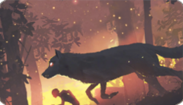 Wolf Running
 -
 Dragon Smoke
 -
 Night Rain
 -
 Butterfly ZERO
 -
 I am Speed
 -
 Ronin
Ronin -
 Abduction
 -
 Cat Dream
 -
 Virtual Waves
 -
 Bolt and Snail
 -
 Escape


共享

共享 功能允许 VRC+ 支持者与其他用户分享自定义表情、自定义贴纸、照片、打印品以及界面主题。通过该功能,用户可以在世界中放置一个共享调色板,供其他用户进行交互。当用户离开时,其放置的调色板将会消失。用户可通过选中调色板将其隐藏,屏蔽某位用户也会同时隐藏该用户的调色板。
捆绑包

捆绑包 是由多项内容组成的合集,用户可将其领取并添加至库存,所有用户均可免费领取捆绑包,但部分捆绑包可能仅限 VRC+ 支持者。对于这些限时提供的、仅面向 VRC+ 支持者的库存捆绑包,支持者在领取后将获得专属的库存内容。通常情况下,捆绑包的领取期限为一个月,随后将由新的捆绑包进行替换。
群组
VRC+ 支持者可以创建和加入更多 群组 。群组在创建后,其所有权不会因 VRC+ 订阅到期而被收回,无需持续订阅即可继续持有。
| 未订阅用户 | VRC+ | |
|---|---|---|
| 已加入的群组 | 100 | 200 |
| 可创建的群组 | 0 | 5 |
信任等级加成
VRC+ 支持者将获得其 信任等级 的提升。该加成可使用户的信任等级提高至下一等级。通过此加成所能获得的最低信任等级为「User」。这对希望立即开始进行内容创作的新用户尤为有利。 若用户当前已处于「User」或 「Known 」等级,信任等级加成通常不会立即产生明显效果。
年龄验证
年龄验证 是一项可供 VRC+ 订阅用户使用的功能,适用于已拥有 VRChat 账户 的用户,允许用户对其年龄进行验证。成年龄验证后,用户将获得一个特殊标识,该标识可显示在用户的个人资料以及名牌上,此外,通过年龄验证的用户还可以进入或创建仅限18岁及以上用户的年龄受限 群组 实例。
相机
有效的 VRC+ 订阅将为相机功能新增两项主要特性。
相机轨道
相机轨道 是一项 VRC+ 专属的相机系统,主要面向进阶用户。该功能允许用户为 VRChat 相机 创建并播放动画。
相机无人机
相机无人机 是一项 VRC+ 专属的相机功能。该功能允许用户生成并操控一台具备完整功能的无人机,在场景中自由飞行。
Other features

Additional features include:
- Instance naming - When creating an instance, VRC+ supporters have the option to name it.
- Shop discounts - VRC+ supporters have the option to purchase shop listings for a discount.
- VRC+ Supporter Badge - Being an active supporter of VRC+ will grant a user a "Supporter" badge, as long as their subscription is active. This special badge can be found on your user profile on the platform, and on the VRChat website.
- VRC+ Tenure Badge - Being an active supporter of VRC+ will grant a user a "VRC+ Subscriber" badge, as long as their subscription is active, this badge shows the user's cumulative duration of them being subscribed to VRC+.
- VRCat on Quick Menu - Clickable VRCat on top of Quick Menu that makes sounds and displays different prompts.
- Clock variant - Access to use the "VRChat+ Ultra Premium Time ☆" clock variant.
Features that were available to supporters, but are no longer available to new supporters:
- Early Supporter Badge
- VRChat for Android Mobile Early Access
- Stickers
- Selfie Expression on PC
Purchasing
VRC+ can only be purchased in-client through the VRC+ tab at the bottom right of the Quick Menu, and Main Menu. VRC+ is available on Steam, Meta Quest Store, Pico, Google Play, and iOS devices.
Tiers and pricing
VRC+ comes in two tiers: VRC+ Monthly, and VRC+ Yearly.
| Tier | Price in USD |
|---|---|
| Monthly | $9.99/month |
| Yearly | $99.99/yearly |
*Pricing in Europe may include Value-Added Tax (VAT)[1]
Technical information
Using VRC+ on different platforms
Your VRC+ benefits are linked to your VRChat account and any platform-specific account it’s merged with. You can purchase VRC+ on Steam even if you primarily use another platform, like Oculus PC, by merging your Oculus PC account into your VRChat account.
Subscription issues
For issues with VRC+ features, contact VRChat Support. Subscription payments are processed through platform partners (Steam or Meta), so contact their support services for payment issues. Refunds for subscriptions are not permitted by the platforms, and VRChat does not offer refunds after purchase.
Subscription renewal and lapse
When a VRC+ subscription lapses:
- Custom inventory content will be saved, but not accessible.
- Your custom user icon will be unequipped.
- Avatar favorite lists will be saved, but not accessible.
- Access to favorite list 1 will be accessible.
- Badges and Trust boost gained from VRC+ are retained.
- The Supporter & VRC+ Tenure badges will be removed. The badges progress are saved and will be added back when resubscribed.
- Other VRC+ features will be disabled, with data saved for future access if the subscription is restarted.
Canceling VRC+ subscription
Steam: 1. Visit the Steam Account Details page. 2. Click “Manage Subscriptions.” 3. Cancel or renew subscriptions as needed.
For more details, see the Steam Support article on recurring subscriptions.
Meta Quest Store: 1. In your Meta Quest headset, select “Your Account” in the Store left sidebar. 2. Select “Subscriptions,” then “VRChat,” and finally “Cancel Subscription.”
Gifting VRC+
You can also gift other users VRC+. If you send a gift to a user who already has VRC+, it will extend the time on their active subscription.
To gift a user with VRC+, you can click on them if they are in the same instance as you, and click Gift VRC+. You can also search for a user in either the Search tab, or Social tab, and also click Gift VRC+ when on their profile.
Gift drop
You can visually gift several users in an instance simultaneously, by using a gift drop. If there are more VRC+ gifts within the drop, than there are users in the instance, some users may get more than one month of VRC+.
When dropping gifts, you can choose to either distribute them equally among users in the instance, or to prioritize dropping to the closest users. The user dropping the gift is then prompted to select a location in the instance where the gift will be dropped.
Drops can have a discount up to 50%.
Quantity and pricing for gift drops
Users can purchase a bundle of VRC+ subscriptions to drop. Each bundle contains a quantity, equal to one month of VRC+. For example, purchasing the '10' bundle, will drop a total of ten, one-month subscriptions to users in the instance.
Purchasing the bundle of 5 saves 5% of the regular cost; bundle of 10 saves 10%, bundle of 20 saves 25%, bundle of 50 saves 35%, and the bundle of 100 subscriptions saves 50%.
| Qt. | Price in USD |
|---|---|
| 1 | $9.99 |
| 2 | $19.99 |
| 3 | $29.99 |
| 5 | $47.99 |
| 10 | $89.99 |
| 20 | $149.99 |
| 50 | $324.99 |
| 100 | $499.99 |
*Pricing in Europe may include Value-Added Tax (VAT)
Trivia
- VRChat has changed the name of VRC+ twice. The previous names were VRChat Plus & VRChat+.


