VRC+

VRC+, 讀做 VRChat Plus, 是一項訂閱制服務, 目的是增加額外的功能和提升用戶體驗, 購買VRC+將直接幫助VRChat的開發和維護. VRC+目前已正式在2020年12月3日發布.
功能
VRC+ 提供多項功能, 用以提升用戶體驗:
增加收藏欄數
VRC+ 訂閱者可解鎖更多收藏的角色和世界收藏數.
| 免費 | VRC+ | |
|---|---|---|
| 外觀分類 | 1 | 6 |
| 外觀保存數 | 50 | 300 |
| 世界分類 | 4 | 8 |
| 世界保存數 | 400 | 800 |
物件
詳細資訊請參考物件的條目。
VRC+ 訂閱者可以上傳和管理物品欄中的自訂內容, 包含頭像, 照片, 自訂表情符號, 自訂貼圖, 和繪圖. 用戶可以透過遊戲內的 Camera, 或是透過VRChat網站.
| 未訂閱用戶 | VRC+訂閱者 | |
|---|---|---|
| 用戶頭像 | 0 | 64 |
| 照片 | 0 | 64 |
| 自訂表情符號 | 0 | 18 |
| 自訂貼圖 | 0 | 18 |
| 拍立得 | 20 (僅限收集) | 64 |
| UI主題 | 0 | 20 |
| 背景圖 | 4 | 37 |
Photo Gallery
The Photo Gallery is where custom photos are located. Photos can serve multiple purposes, such as an additional profile picture option on a user's profile. They can also be used when sending invites to other users. Photos can also be used to change the banner for a group, and add to the group's gallery.
Prints
Prints are photos users can take within VRChat and spawn as an object in-world for other users to share and save. Prints include metadata such as who took the photo, where, and when, if captured in a public world with camera settings enabled. Prints have the same appearance as real-world instant films.
Users can "collect" prints by saving them to their Inventory.
User icons

User Icons are circular images that can be equipped for both profiles and groups. When equipped, the icon appears on your nameplate, in the Here tab, at the top of the Quick Menu, and on your profile, replacing the default icon of your first three username characters.
Custom emoji
Up to nine custom emoji can be uploaded and used in the Inventory, providing unique expressions and reactions. Animated emoji are also supported.
Custom stickers
Custom stickers can be uploaded similarly to how custom emojis are. Stickers are placeable images that any user can see, only one can be placed at a time. When a user leaves an instance, their stickers will disappear. Users can hide a sticker by selecting it, blocking a user will also hide their stickers.
UI decorations
Supporters can customize UI elements to their liking, including the UI theme colors and selecting background designs for the Quick Menu and Main Menu.
Supporters get 5 UI themes to choose from by default, or may create their own custom palette:
-
 Default
 -
 Carbon
 -
 Nebula
 -
 Embers
 -
 Grass
Grass


These are the background designs VRC+ offers:
-
 Filigree
 -
 Bit Mountain
 -
 Approach
 -
 Planet Fall
 -
 Jungle
 -
 Light Streams
 -
 Koi
Koi -
 Moonlight
 -
 Machine
 -
 Topology
 -
 Circuit
 -
 Kawaii Cupcakes
 -
 Bokeh
Bokeh -
 Hologram
 -
 Flow
Flow -
 Jelly
Jelly -
 Cheese
 -
 Alchemy
 -
 Sunset Mountain
 -
 Magic Rocks
 -
 City Stillness
 -
 Music
Music -
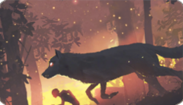 Wolf Running
 -
 Dragon Smoke
 -
 Night Rain
 -
 Butterfly ZERO
 -
 I am Speed
 -
 Ronin
Ronin -
 Abduction
 -
 Cat Dream
 -
 Virtual Waves
 -
 Bolt and Snail
 -
 Escape


Sharing

Sharing enables a VRC+ user to share custom emojis, custom stickers, photos, prints, and UI themes with other users. This allows a user to place a Sharing Pedestal in a world that other users can interact with. When a user leaves an instance, their pedestal will disappear. Sharing pedestals can be hidden by selecting it, blocking a user will also hide their pedestal.
Bundles

Bundles are a collection of content that users are able to claim for their Inventory, free for all users but some bundles can be exclusive to VRC+ supporters. These limited-time VRC+ only Inventory Bundles, when claimed, supporters are rewarded with exclusive inventory content. Usually bundles are available to claim for one month before a new bundle replaces it.
Exclusives
VRC+ Exclusives is content that is only available for VRC+ supporters. Unlike Bundles, Exclusives are not claimable and automatically appear in user's inventories. Content that is VRC+ Exclusive is labeled with VRC+ logo in the top left corner.
Groups
Supporters unlock the ability to create and join more groups. A VRC+ subscription is not required to retain ownership of a group once it has been created.
| Free | VRC+ | |
|---|---|---|
| Joined groups | 100 | 200 |
| Group creation | 0 | 5 |
Trust boost
Supporters receive an increase in their Trust Rank. This boost can elevate a user's trust rank to the next level. The minimum Trust Rank received is User, which is particularly beneficial for newcomers who want to start content creation immediately. If already a User or Known rank, the trust boost is unlikely to have an immediate effect. For those with a Trusted rank, the boost will have no effect.
Age Verification
Age Verification is a feature accessible to VRC+ subscribers with a VRChat account, allowing users to verify their age. This grants a special marker that can be displayed on their profile and nameplate, as well as access or host to age restricted Group instances for users 18 and over.
Camera
An active VRC+ subscription adds two major features related to the camera.
Camera Dolly
Camera Dolly is a VRC+-exclusive camera system designed for advanced users. This feature allows users to create and play animations for the VRChat camera.
Camera Drone
Camera Drone is a VRC+-exclusive feature that allows users to spawn and fly around a fully-functional drone.
Other features

Additional features include:
- Instance naming - When creating an instance, VRC+ supporters have the option to name it.
- Shop discounts - VRC+ supporters have the option to purchase shop listings for a discount.
- VRC+ Supporter Badge - Being an active supporter of VRC+ will grant a user a "Supporter" badge, as long as their subscription is active. This special badge can be found on your user profile on the platform, and on the VRChat website.
- VRC+ Tenure Badge - Being an active supporter of VRC+ will grant a user a "VRC+ Subscriber" badge, as long as their subscription is active, this badge shows the user's cumulative duration of them being subscribed to VRC+.
- VRCat on Quick Menu - Clickable VRCat on top of Quick Menu that makes sounds and displays different prompts.
- Clock variant - Access to use the "VRChat+ Ultra Premium Time ☆" clock variant.
- Reduced display name change cooldown - Changing display name will be reduced to 30 days from the normal 90-day cooldown.
Features that were available to supporters, but are no longer available to new supporters:
- Early Supporter Badge
- VRChat for Android Mobile Early Access
- Stickers
- Selfie Expression on PC
- Third Person View on PC
Purchasing
VRC+ can only be purchased in-client through the VRC+ tab at the bottom right of the Quick Menu, and Main Menu. VRC+ is available on Steam, Meta Quest Store, Pico, Google Play, and iOS devices.
Tiers and pricing
VRC+ comes in two tiers: VRC+ Monthly, and VRC+ Yearly.
| Tier | Price in USD |
|---|---|
| Monthly | $9.99/month |
| Yearly | $99.99/yearly |
*Pricing in Europe may include Value-Added Tax (VAT)[1]
Technical information
Using VRC+ on different platforms
Subscription payments are processed through platform partners (Steam or Meta). Contact their support for payment-related issues. You can purchase VRC+ on Steam even if you primarily use another platform, like Oculus PC, by merging your Oculus PC account into your VRChat account.
Subscription issues
For issues with VRC+ features, contact VRChat Support. Subscription payments are processed through platform partners (Steam or Meta), so contact their support services for payment issues. Refunds for subscriptions are not permitted by the platforms; VRChat does not offer refunds after purchase.
Subscription renewal and lapse
When a VRC+ subscription lapses:
- Custom inventory content is saved but becomes inaccessible until the subscription is renewed.
- Your custom user icon will be unequipped.
- Avatar favorite lists will be saved, but not accessible.
- Access to favorite list 1 will be accessible.
- Badges and Trust boost gained from VRC+ are retained.
- The Supporter & VRC+ Tenure badges will be removed. The badges progress are saved and will be added back when resubscribed.
- Other VRC+ features will be disabled, with data saved for future access if the subscription is restarted.
Canceling VRC+ subscription
Steam: 1. Visit the Steam Account Details page. 2. Click “Manage Subscriptions.” 3. Cancel or renew subscriptions as needed.
For more details, see the Steam Support article on recurring subscriptions.
Meta Quest Store: 1. In your Meta Quest headset, select “Your Account” in the Store left sidebar. 2. Select “Subscriptions,” then “VRChat,” and finally “Cancel Subscription.”
Gifting VRC+
VRC+ can be gifted to other users. If a user already has an active subscription, gifting them will extend its duration.
To gift a user with VRC+, you can click on them if they are in the same instance as you, and click Gift VRC+. You can also search for a user in either the Search tab, or Social tab, and also click Gift VRC+ when on their profile.
Gift drop
You can visually gift several users in an instance simultaneously, by using a gift drop. If the number of gifts exceeds the number of users in the instance, some users may receive multiple months of VRC+
When dropping gifts, you can choose to either distribute them equally among users in the instance, or to prioritize dropping to the closest users. Gift drop bundles must be consumed in a single drop and cannot be used partially or split.
Gift drops may include discounts of up to 50%.
Quantity and pricing for gift drops
Users can purchase a bundle of VRC+ subscriptions to drop. Each bundle represents a number of one-month VRC+ subscriptions. For example, the ‘10’ bundle grants ten one-month subscriptions to users in the instance.
Purchasing the bundle of 5 saves 5% of the regular cost; bundle of 10 saves 10%, bundle of 20 saves 25%, bundle of 50 saves 35%, and the bundle of 100 subscriptions saves 50%.
| Qt. | Price in USD |
|---|---|
| 1 | $9.99 |
| 2 | $19.99 |
| 3 | $29.99 |
| 5 | $47.99 |
| 10 | $89.99 |
| 20 | $149.99 |
| 50 | $324.99 |
| 100 | $499.99 |
*Pricing in Europe may include Value-Added Tax (VAT)
Trivia
- VRChat has changed the name of VRC+ twice. The previous names were VRChat Plus and VRChat+.


